MobileNotifier beta3, “Copious Corn Flakes”

First things first, for those of you who hate reading:
Repo address is http://phajas.xen.prgmr.com/repo
It is with great excitement that I release this build of MobileNotifier. This is the largest change since the project’s inception, and I believe it’s really ready for general use. Read on for the details.
Keep in mind, MobileNotifier is open source! You can access all the source on GitHub. It’s BSD licensed.
Before I go any further, the UI design work was done by Kyle Adams, a talented graphics artist who’s contributed his free time to the project. Be sure to follow him on twitter @iamkyleadams, or check out his website, kyleadams.org.
In the third beta - referred to internally as “Copious Corn Flakes” - everything’s been reworked. The utility is sleaker, faster, leaner, better looking, and considerably refined. Here are the headlines:
New Alerts

Probably the biggest feature in this release is the addition of new alerts. These alerts - designed by Kyle Adams - are easy on the eyes, animate cleanly, and show the app icon. They’re just like they should be - unobtrusive and user-respecting.
AlertDashboard
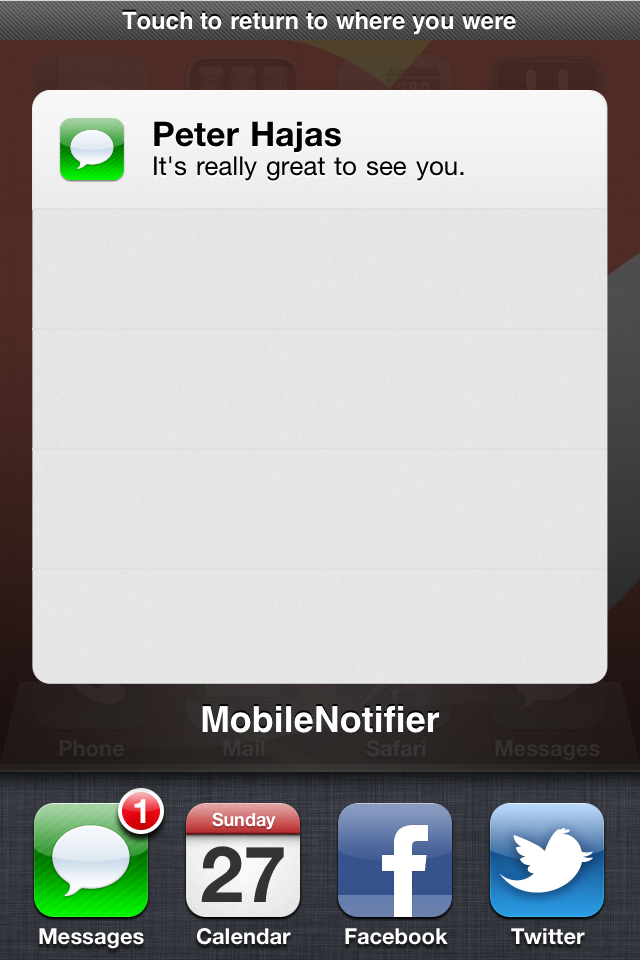
In beta2, I released an early preview of a new feature - the AlertDashboard. This idea has nowe been completed and realized. Accessible from the multitasking switcher (or your own Activator action, should you not have a multitasking device), the AlertDashboard allows you to view your pending alerts, and either remove them or take action on them. It’s really smooth and slick, and I think you’re going to love it.
Lockscreen View
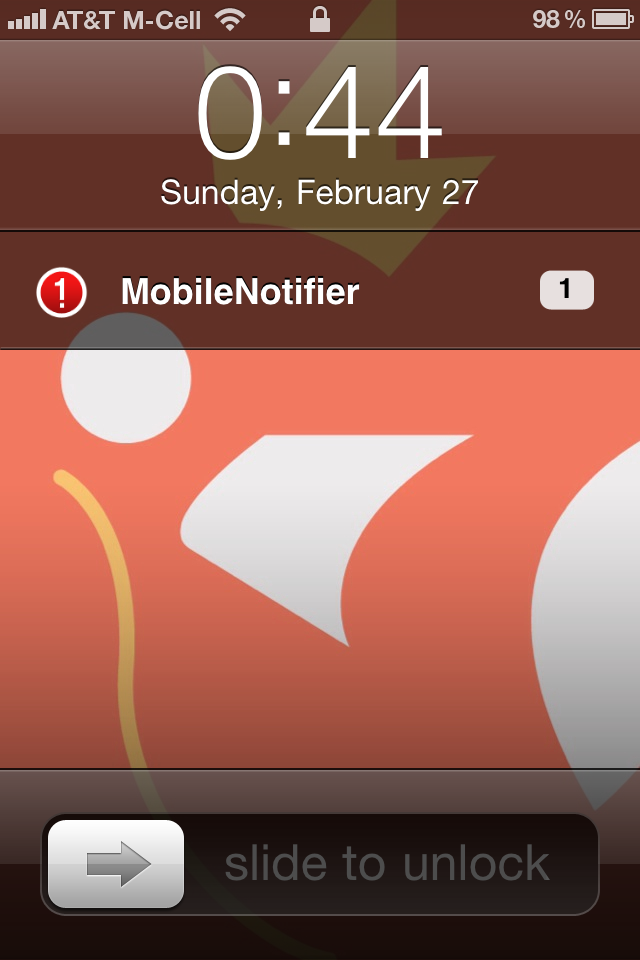
MobileNotifier now has a handy lockscreen view, showing you the number of pending notifications in an unobtrusive way.
Push Notification Support (really)
In beta2r4, I released full support for push notifications. This is still the case with beta3, but now the application icon is shown on the new alerts and in the AlertDashboard.
And more!
So much has been added in this release, I’d spend a long time writing about all of it. Here’s a complete list of what’s changed:
-
New alerts
-
AlertDashboard
-
Lockscreen View
-
Full push notification support
-
Completely reworked MNAlertManager, considerably more intelligent
-
Time encoding support with each alert
-
Numerous usability improvements
-
Bug fixes relating to 3.x compatibility, alert display and other internal aspects of the utility
-
and more! The commit log on GitHub is the best place to see all the iterative changes.
Enjoy! Comments, questions, concerns go to peterhajas@gmail.com. Issues and bugs go to the aforemention GitHub page’s Issues section.